Helbind Key* On-boarding
Let any device join your Ghost Network automatically — only in the hub you choose, and only for the time you define. No setup needed. When time’s up, it disconnects on its own.

Zero-setup. Zero-touch. Zero-stress.
Secure mesh networking for teams, servers, and IoT — connect everything in seconds with no firewall rules or VPN configs.
10K+
Downloads
40K+
Active Devices
7
Platforms
E2E
Encrypted
No Login
No Sign-up Required
Let any device join your Ghost Network automatically — only in the hub you choose, and only for the time you define. No setup needed. When time’s up, it disconnects on its own.

Organize your devices into isolated groups where they can talk to each other — but not to the rest. One device can be part of multiple hubs, and you stay in control of who sees what.
Choose any device you control — Windows, macOS, or Linux — to be the exit. Route traffic through it when needed, and turn it off anytime. Great for region-specific access or private inspection.
Not a shared VPN service: every session spins up a dedicated private VM when you create it. It logs nothing, and disappears automatically when you delete it. No trace. No shared servers.

Admins remotely route device traffic through exit nodes enabling or disabling egress on demand via the dashboard. Assign admin, hub admin or blind node permissions for precise access control.

Grant temporary access to servers, like streaming hubs, for multiple devices. Users scan a unique code to join a Phantom Hub, select authorized devices, and connect securely for a set period. Access auto-expires, ensuring zero residual footprint.
From download to fully connected — it takes less than a minute.
Available on iOS, Android, Mac, Windows, Linux, and as a CLI. Pick your platform and install in seconds.
Create a network or scan a QR code to join one. No firewall rules, no port forwarding, no manual config.
All devices see each other securely with WireGuard-grade security. Manage hubs, VPN, and access from the dashboard.
Ideal for autoscaling fleets, CI/CD workers and edge nodes.
Gives admins finite-lifetime access without manual clean-up.
Perfect for live events, gaming tournaments, or secure content streaming.
Example: A company hosts a live concert stream. A user buys a BiFrost Pass for 3 devices for the event’s 4-hour duration. They receive a QR code, scan it with the Ghost Network app, and select their smart TV, phone, and tablet. These devices join a Phantom Hub with access only to the streaming servers. No other devices can connect, and communication is limited to server access. After 4 hours, the pass expires, and all devices are automatically disconnected, leaving no trace.
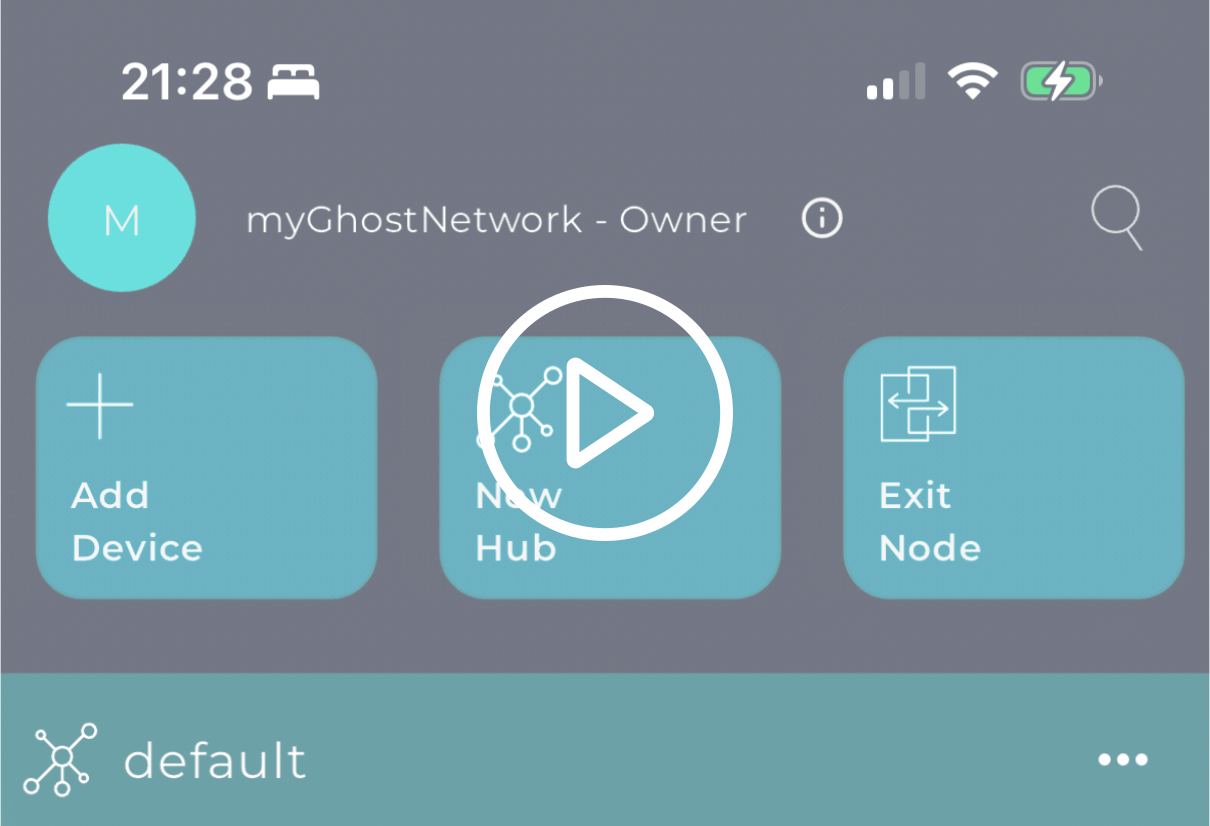
Tap any card to watch a short demo.
Real-world scenarios where Ghost Networks makes the difference
Coinbase, Stripe, and Ethereum Foundation are racing to solve agent auth. Ghost already does it — with BiFrost Pass.
Read more →Use Helbind Keys to onboard 200 machines across 5 departments and 2 cities — with a single boot script.
Read more →Only the bank's own app reaches the servers. SDK integration, one-time device onboarding, zero attack surface.
Read more →Create a website that exists on a real domain but is completely invisible to the public internet.
Read more →Your contractor is a known hacker. Phantom Hub + BiFrost Pass = surgical, time-limited access.
Read more →Thousands of IoT cameras are found on Shodan daily. Put yours in a Phantom Hub — zero open ports.
Read more →Use BiFrost Pass as a paywall. Sell time-limited access like event tickets. No accounts, no passwords.
Read more →You need to send a crypto private key. Email? Slack? Too risky. With Ghost, only that device can read it.
Read more →Plex, NAS, Home Assistant, Pi-hole — all accessible from your phone on 4G. No open ports on your router.
Read more →Manage your Ghost Networks programmatically. Automate provisioning, control access, and integrate with your existing infrastructure using the Ghost CLI.
curl -fsSL https://gh-o.net/d/cli/install.sh | bash
Full network management from your terminal. Create networks, manage devices, generate Helbind Keys, and control BiFrost Passes.
Automate everything with a local REST API, or manage it all from the built-in web dashboard. Secure by default — only devices in your hub can reach it.
CLI and Connector available for Windows, macOS (Universal), and Linux (x64/ARM64). Any connector device can also serve as an exit node. Signed and notarized on macOS.
Ghost is the first private networking platform with built-in MCP (Model Context Protocol) support. Let AI agents manage your entire infrastructure — networks, devices, hubs, VPN, and access — programmatically.
{
  "mcpServers": {
    "ghost": {
      "command": "ghost-cli",
      "args": ["mcp"]
    }
  }
}
Add to Claude, Gemini, Codex, Cursor, or any MCP client
Every CLI command exposed as an MCP tool — networks, devices, hubs, Helbind Keys, BiFrost Passes, VPN, roles, and exit nodes.
Pure Go implementation of JSON-RPC 2.0 / MCP protocol. No extra packages, no runtime — just the single CLI binary you already have.
All operations use the same encrypted API channel as the CLI. Your API key never leaves your machine.
Claude, Gemini, Codex, Cursor, Windsurf, or any tool that speaks MCP. Ask your AI to manage Ghost Networks in natural language.
See everything. Control everything. Your entire Ghost Network at a glance — devices, access, and security in one place.
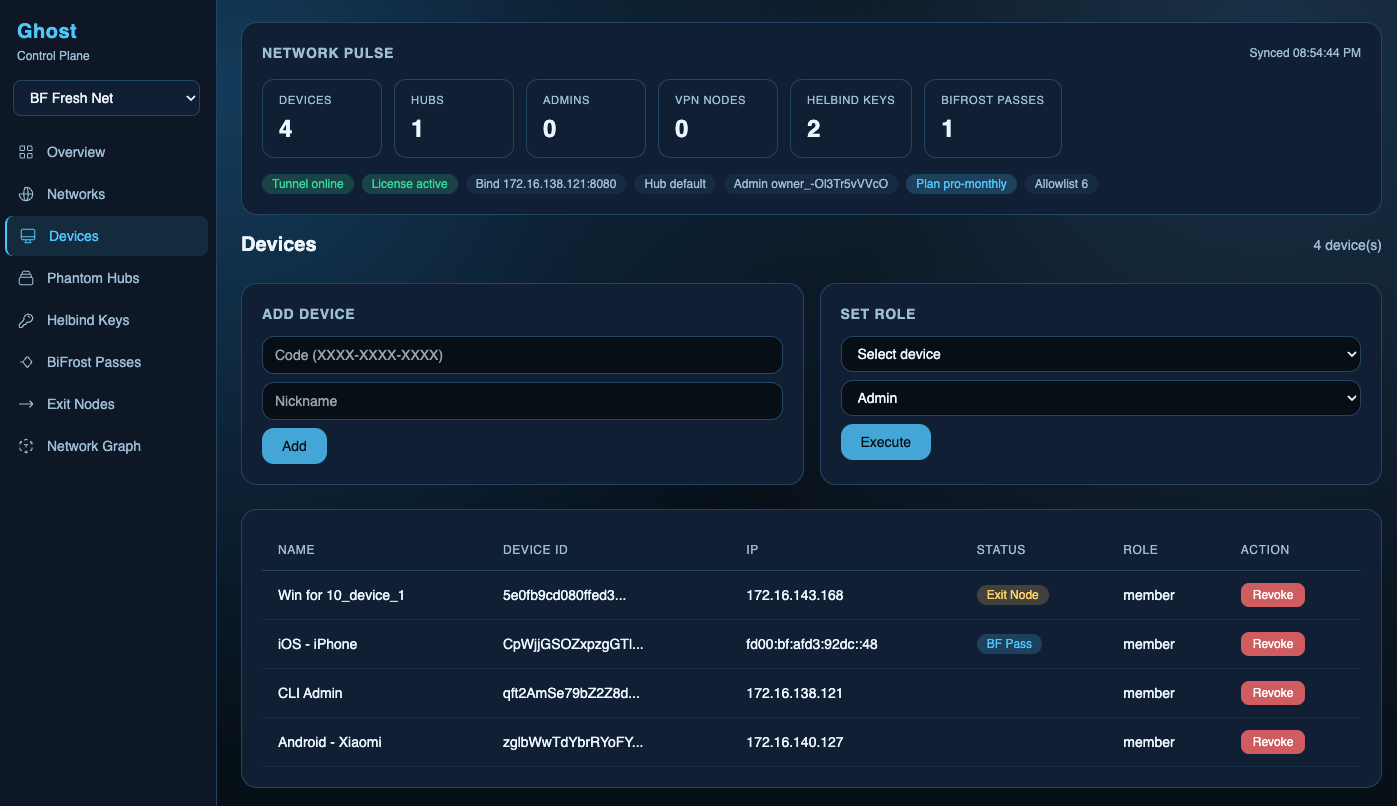
The dashboard lives inside your private network — invisible to the outside world. No public URLs, no login pages, no attack surface. If you're not in the network, it simply doesn't exist.
Devices, hubs, keys, passes, and nodes — everything updating in real time. One glance tells you the state of your entire infrastructure.
Add devices, revoke access, assign roles, issue temporary passes, route traffic through exit nodes, and map your network topology — all from your browser.
Every action between the dashboard and your network is encrypted end-to-end. The server only accepts connections from authorized devices inside your network. Nothing is stored in the browser — no tokens, no sessions, no cookies.
We are certified partners with leading cloud providers, ensuring seamless integration and enterprise-grade reliability.

Start for free or get an enterprise plan with CLI, API, and dedicated VPN.
Ghost Networks™ is a trademark of HabloApp Inc. BiFrost Pass*, Phantom Hubs*, and Helbind Keys* are patent-pending technologies. Protected under U.S. Provisional Patent Application (filed February 2026). All rights reserved.